
Applying Selective Color Correction to Highlight Cat Features
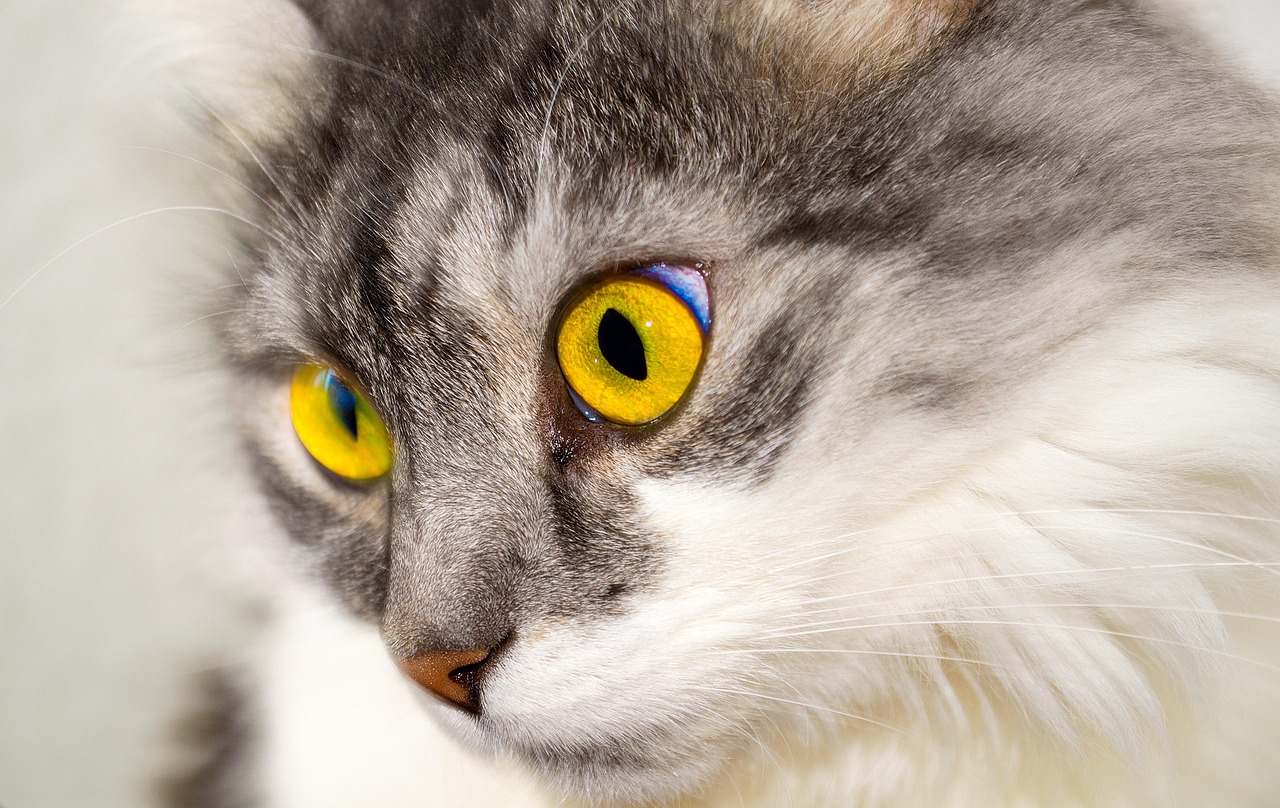
Selective color correction can dramatically enhance the characteristics of your feline photography. This technique emphasizes specific colors, allowing your cat’s most captivating features to shine. Start by opening your photo editing software. You should use tools like Adobe Lightroom or Photoshop for their robust color editing capabilities. After you import your image, identify the main colors of your cat, such as their fur and eyes. Utilize the adjustment sliders to fine-tune these colors while ensuring that the photograph remains natural and appealing. Make small adjustments to avoid getting unnatural tones that might distract from your cat’s features. Consider using adjustment layers in Photoshop so you can non-destructively edit your image without permanently altering the original file. This way, if you make a mistake, you can easily revert the changes. It’s essential to maintain the balance between the colors, which will ultimately highlight your cat’s unique personality. Look for instances where one color competes with another; adjusting these will provide clarity and focus in your image. Lastly, preview your corrections to see how they affect the overall tone of your cat photography.
In addition to adjusting colors, sharpening specific details can enhance your cat photographs. This involves using tools that provide control over clarity and sharpness. In Lightroom, for instance, use the sharpening slider wisely, ensuring that you are enhancing the cat’s features rather than noise or unwanted artifacts. Carefully analyze the areas where sharpness can accentuate your cat’s eyes or fur texture. Applying local adjustments helps in everyday photo editing; you may frequent the brush tool to isolate and sharpen areas around the eyes. This makes them a focal point, drawing the viewer’s attention directly to your cat’s expression. When sharpening, avoid overdoing it; a slight increase can go a long way. Additionally, applying a subtle vignette can help center attention on your feline companion. This emphasizes your cat against the background, creating a more intimate portrait-like feel. Finally, always zoom in and examine the image at 100% to ensure drum-tight details are preserved. Post-processing is a delicate balance; both color correction and enhancement must work together harmoniously to elevate the quality of cat photography.
Understanding Color Theory in Cat Photography
Color theory plays a pivotal role in the art of photography, particularly with regards to highlighting your cat’s unique features. Understanding how colors interact with each other will allow you to create visually captivating images that pop. Complementary colors, for instance, can make the cat’s features stand out more effectively against their surroundings. If your cat has warm-toned fur, consider a cooler background to provide a delicious contrast. Applying analog colors, which are next to each other on the color wheel, can yield a soft, harmonious image. Experimentation is key here; various backgrounds can drastically shift how your cat’s fur appears in the frame. Remember to consider the mood you want to convey. Bright, warm tones can exude playfulness, while deeper tones may evoke a sense of tranquility. Color grading can be performed in your editing software to match the intended aesthetic during processing. This involves adjusting hue, saturation, and luminance across the image to achieve the desired effect. Ultimately, color choices can significantly impact the viewer’s emotional response to your cat photography.
Another vital aspect during post-processing is managing contrast. Contrast creates depth, dimension, and helps in emphasizing the focus area of your photograph. In cat photography, contrast can create a powerful effect, drawing attention to your cat’s facial features or fur texture. Use the contrast slider within your editing software; however, moderation is essential. Too much contrast might hide delicate details. Explore shadows and highlights for additional contrast enhancements. Brightening shadows can revamp darker areas of the photo, revealing hidden detail around your cat. Conversely, reducing highlights can help to maintain detail in brighter sections, especially if your cat is backlit. Pay attention to the histogram, which provides a visual representation of your photo’s tonal range. An ideally balanced histogram indicates a well-exposed image. If the histogram is skewed to one side, it warns of potential clipping in shadows or highlights. Whenever you make adjustments, continually revert to the original as a reference. This ensures that you achieve a final photograph that retains both vibrancy and realism.
Utilizing Advanced Post-Processing Tools
Modern photography relies heavily on advanced post-processing tools to refine and enhance images. Adobe Photoshop offers a wide array of features ideal for cat photographers. Tools like the selective color adjustment tool enable you to pinpoint specific color ranges for precise edits. Don’t hesitate to utilize additional software plugins designed for wildlife or pet photography. These can streamline the workflow, like providing pre-set adjustments that enhance common features of cats, saving you significant time. Among helpful techniques is the split toning option. This allows photographers to adjust the colors in the highlights and shadows separately. This can create stunning effects, adding warmth or coolness where needed. Use layer masks when applying filters or brushes for improved control of effects; that way, you can selectively apply adjustments without impacting the entire image. Moreover, consider experimenting with different color profiles in your software to find a characteristic style that matches your vision. Regular practice in exploring various tools sharpens your skills, resulting in increasingly captivating cat photographs. Always remember to have fun with the creative process!
Editing for sharpness and clarity is crucial in elevating the quality of your cat images. Techniques like using the high-pass filter in Photoshop can isolate the most defined details of your cat’s fur and eyes. After applying this filter, adjust the blending mode to overlay; this makes your details clearer while keeping everything else soft. Always check the effects by zooming in to see how it impacts component details. Excessive sharpness can lead to visual distractions like halos, which detract from your images’ beauty. Begin sharpening and reviewing at a rescaled view; use layer masks to apply sharpening exclusively to areas requiring emphasis. Additionally, utilizing sliders for clarity can dynamically alter your image’s textural details. Fine-tuning midtones will help highlight fur texture while maintaining the overall image balance. Moreover, explore a softening technique for backgrounds, creating a bokeh effect drawing attention to your cat. Enhance the ethereal feel of your pictures, making the cat appear like the star of the scene. Ultimately, clarity and softness can converge beautifully in cat photography – always ensuring to maintain the natural feel of your images.
Final Tips for Impeccable Cat Photography
As you refine your cat photography skills through post-processing, remember that practice is central to success. Regularly review your images and experiment with various techniques you have learned. Schedule dedicated practice sessions focusing on color correction and enhancement skills to cultivate expertise that transfers to your photos. Keeping an editorial notebook can assist you in tracking your progress and techniques that work best for your unique style. Examine industry-standard references and popular cat photographers to gather inspiration and techniques. Follow them online, participate in challenges, or join forums to connect with fellow photography enthusiasts. Engaging with a community often helps in learning new tips and perspectives towards editing. Understand your equipment limitations, as knowing your camera can aid in taking better initial captures that require less post-processing. At last, don’t forget to share your images in a portfolio; not only can you receive constructive feedback, but this is also an excellent means of showcasing your journeys through cat photography. Processing is just one part of storytelling through your lens; enjoy each moment of enhancement and growth.
To wrap your photography journey, always reflect on the importance of ethical post-processing in cat images. Highlighting feline beauty shouldn’t detract from their natural charm or character through excessive manipulation. Maintain the integrity of your photographs, allowing your audience to connect with the genuine essence of the cats captured. While editing tools offer innumerable possibilities, moderation is essential in every adjustment. Emphasizing features should come from a place of respect; after all, our pets are not just subjects but individuals. Whether you capture your own cat or a friend’s, prioritize authenticity as your artistic voice. Always ensure you have permission for any edits that might alter the image’s reality. Keep learning; as technology advances, so should your skills. Every new feature or technique represented in your editing software can introduce new realms of creativity. Additionally, opt for courses or workshops focusing on niche aspects of cat photography, promoting continual growth alongside skill development. This process will lend to impeccable storytelling extending beyond the digital canvas. Your final results should harmoniously reflect the blend of natural and artful allure in cat photography.